
Dropshipping Product Image Background Removal Guide
A practical guide to dropshipping product image cleanup, background removal, clean cutouts, and supplier photo refinement for ecommerce listings.
Dropshipping is often framed as a sourcing problem: find a product, list it quickly, test demand, repeat. But many stores lose trust before the product ever has a chance because the product images look copied, inconsistent, or unfinished.
For this walkthrough, imagine testing a portable electric milk frother. It is a practical dropshipping product: small, easy to ship, useful in several routines, and visually simple enough to refine into a clean product image.
The goal is not to make the product look like something it is not. The goal is to make the listing clear, consistent, and trustworthy enough for a shopper to understand what is being sold.
Start By Auditing The Supplier Product Image
Before cutting anything out, inspect the supplier image like a buyer would:
- Is the product shape easy to understand at thumbnail size?
- Are there watermarks, badges, hands, props, or text overlays that should not be in the hero image?
- Is the lighting hiding important details like the whisk head, button, charging port, or handle texture?
- Does the photo show the exact variant you plan to sell?
- Would the image still make sense on a white or transparent background?
For the milk frother, the core visual information is simple: the wand shape, the handle, the power button, and the whisk. If the original photo is cluttered, the buyer has to work harder than they should.
Product Image Background Removal For Dropshipping
Background removal is one of the fastest ways to make a supplier photo feel more like a real ecommerce asset. It removes the room, table, and visual clutter so the product can work on a marketplace page, a Shopify product grid, a social advertisement (ad), or a comparison graphic.
For dropshippers, the best background removal workflow is not just “delete the background.” It is:
- Remove the distracting scene.
- Keep the product shape accurate.
- Preserve thin details, like wires, handles, cords, or transparent parts.
- Check the cutout on dark and light previews.
- Export a version that can be reused across listing formats.
That workflow is especially important when your supplier image is the only product photo you have.
What The Original Image Gets Wrong
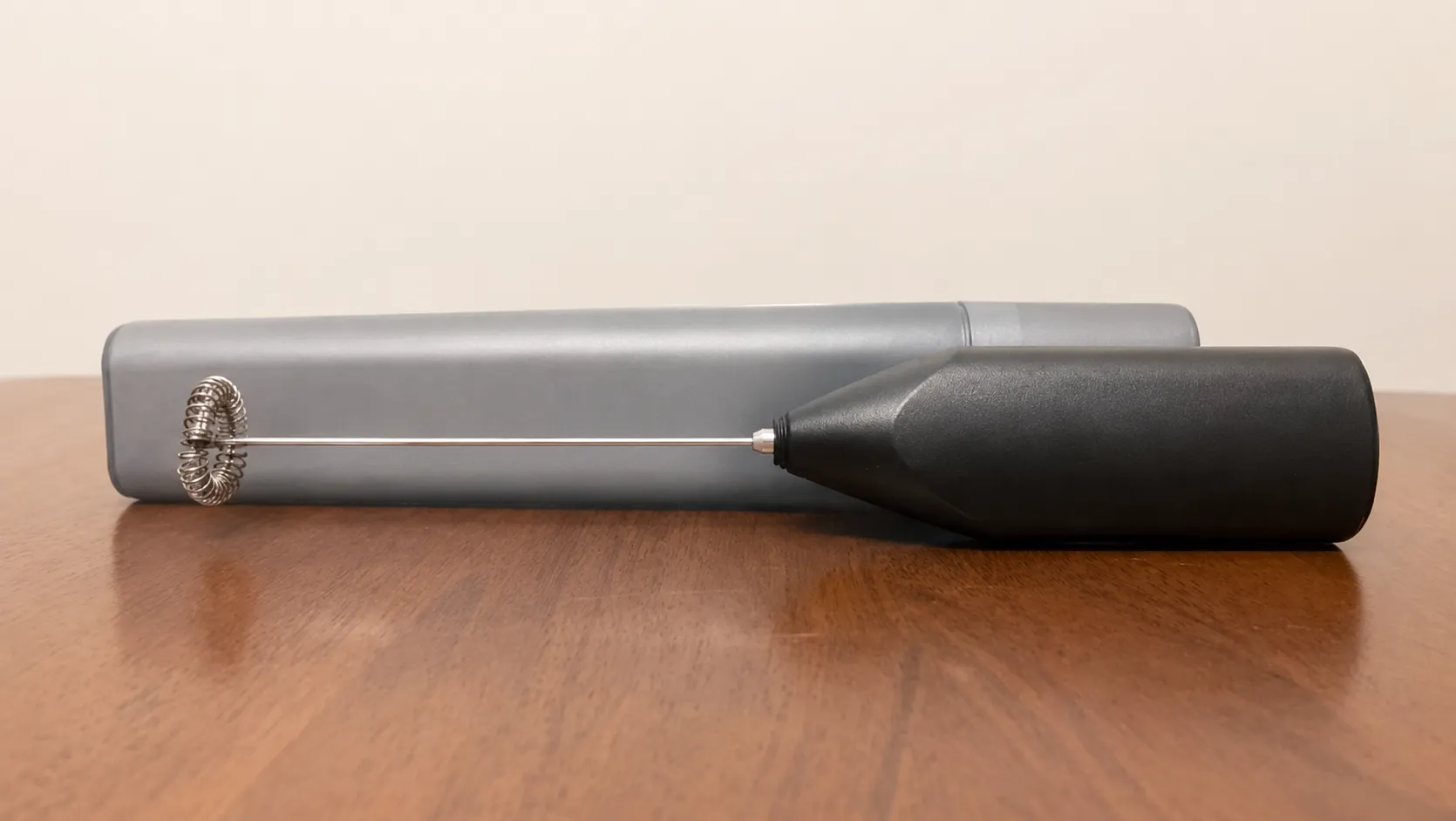
The original milk frother photo is usable as a reference image, but it is not ideal as a main ecommerce image.
- The wooden table and beige wall compete with the product, especially in thumbnails.
- The tabletop reflection adds visual noise and makes the product feel less isolated.
- The product is sitting low in the frame, leaving a large amount of unused wall space above it.
- The frother overlaps with the gray case, so the buyer has to separate the actual product from the background object.
- The warm room lighting changes the product read, making the black handle and silver shaft feel less crisp.
None of those issues mean the product is bad. They mean the image is doing too much. A listing hero image should help the shopper understand the item quickly.
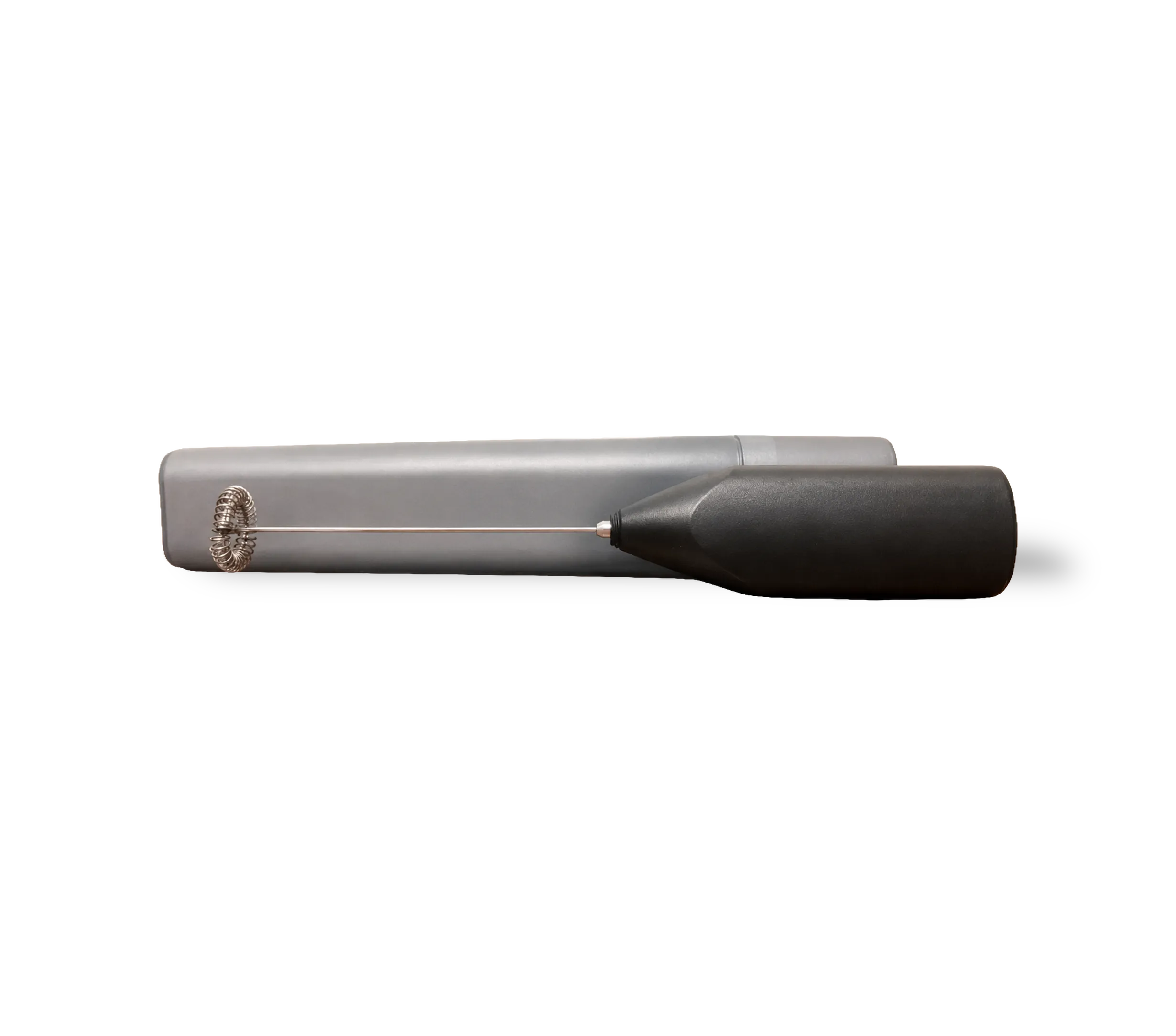
The Catalog ProSuite-processed version is stronger because the product becomes the only subject. The table, wall, and room context are removed. The frother and case can be placed on a consistent listing background, reused in feature graphics, or tested on different storefront layouts without re-editing the original supplier photo.
The dark preview background is also useful during review. It makes cutout edge problems easier to spot around the whisk coil, metal shaft, and black handle. If the product looks clean against a dark checker or preview surface, it will usually be easier to adapt to white, transparent, or marketplace-ready backgrounds.
Create A Clean Cutout, Then Check The Edges
A good cutout gives you control. You can use it on a white marketplace background, a lifestyle-style composition, a comparison graphic, or a bundle image without starting over.
After generating the cutout, zoom in and check:
- Thin areas, like the frother whisk loop, where background removal can accidentally erase detail.
- Jagged or fuzzy edges around reflective metal.
- Shadows that were baked into the old background.
- Color shifts that make the handle look different from the actual product.
This is where dropshippers should slow down for a minute. A bad cutout makes the listing look cheap even if the product is fine.
Catalog ProSuite fits here as the place to keep the image and product record together. The useful part is not magic; it is having a repeatable place to prepare, review, and organize the asset before it gets pushed into a store.
If you want to try this workflow on your own supplier image, you can create a Catalog ProSuite account and start with one product before building out a larger test catalog.
Build A Small Image Set, Not Just One Hero
One polished hero image is useful, but a listing usually needs more than that. For a portable milk frother, a practical starter set might be:
- A clean product cutout on white.
- The same cutout with a soft natural shadow.
- A scale or context image, such as the frother beside a cup.
- A simple feature image calling out the whisk head, button, or rechargeable design.
- A bundle image if you plan to sell it with a stand, cleaning brush, or drink mix.
The important thing is consistency. If every product test has a different crop, background, and naming style, your storefront starts to feel patched together.
Use Backgrounds Carefully
Dropshippers sometimes overcorrect supplier images by adding dramatic backgrounds, heavy gradients, or fake lifestyle scenes. That can hurt trust.
For a product like a milk frother, clean usually wins:
- Use white or very light backgrounds for the main product image.
- Use subtle shadows so the product does not look like it is floating.
- Avoid backgrounds that imply included accessories you are not actually shipping.
- Keep lifestyle scenes realistic and secondary.
If the supplier only provides one image, the cutout becomes your reusable base. You can create several listing assets from one refined product image without misrepresenting the product.
Keep The Image And Metadata In Sync
Image refinement is not separate from the listing copy. If the image shows a silver frother but the title says black, shoppers notice. If the feature graphic says rechargeable but the supplier sends battery-powered units, refunds follow.
Before publishing, check the image against the product fields:
- Product title
- Color and variant
- Materials
- Included accessories
- Dimensions
- Power source
- Care or cleaning details
This is another place where Catalog ProSuite can help: the image, generated metadata, and catalog item can be reviewed together instead of living in separate tabs and downloads.
Mini-Guide: Processing The Frother Image In Catalog ProSuite
Use this workflow for the original tabletop image:
- Import the original product photo into Catalog ProSuite.
- Create or select the catalog item for the portable electric milk frother.
- Run background removal to separate the frother and case from the table and wall.
- Preview the cutout against a dark background so edge artifacts are easy to see.
- Inspect the whisk coil, shaft, handle edge, and case corners at a close zoom level.
- If the cutout looks too tight or fuzzy, adjust the crop or rerun the image operation with a cleaner source version.
- Save the refined cutout as the primary catalog asset.
- Generate product metadata from the refined image and item details.
- Review the generated title, description, attributes, and claims against the actual supplier listing.
- Export the image and metadata for your storefront or marketplace.
For this frother, the most important review step is the whisk. Thin wire loops are easy for background-removal tools to damage. If the whisk survives the cutout cleanly, the rest of the product is usually straightforward.
After the main cutout is approved, create one or two additional assets from the same base image. A white-background version can work as the primary product image, while a soft-shadow version can make the product feel less flat on a storefront page. Keep both versions connected to the same catalog item so naming, metadata, and exports stay organized.
Start a Catalog ProSuite workspace when you are ready to process a real dropshipping product image.
Move Faster By Standardizing The Workflow
The biggest advantage for dropshippers is not one perfect image. It is a repeatable process:
- Choose the product.
- Audit the supplier image.
- Generate a clean cutout.
- Fix edges and shadows.
- Create a small consistent image set.
- Generate and review metadata.
- Export the finished assets.
- Publish and test demand.
For the portable electric milk frother, that workflow turns a raw supplier photo into a cleaner listing package. For the next product, you run the same steps again.
That is how product image refinement helps dropshippers get to market quicker: not by rushing the listing, but by removing the messy, repeated work that slows every test down.
For a first pass, pick one supplier photo, create a clean cutout, review the generated metadata, and export the finished listing assets from Catalog ProSuite.